
Minor version
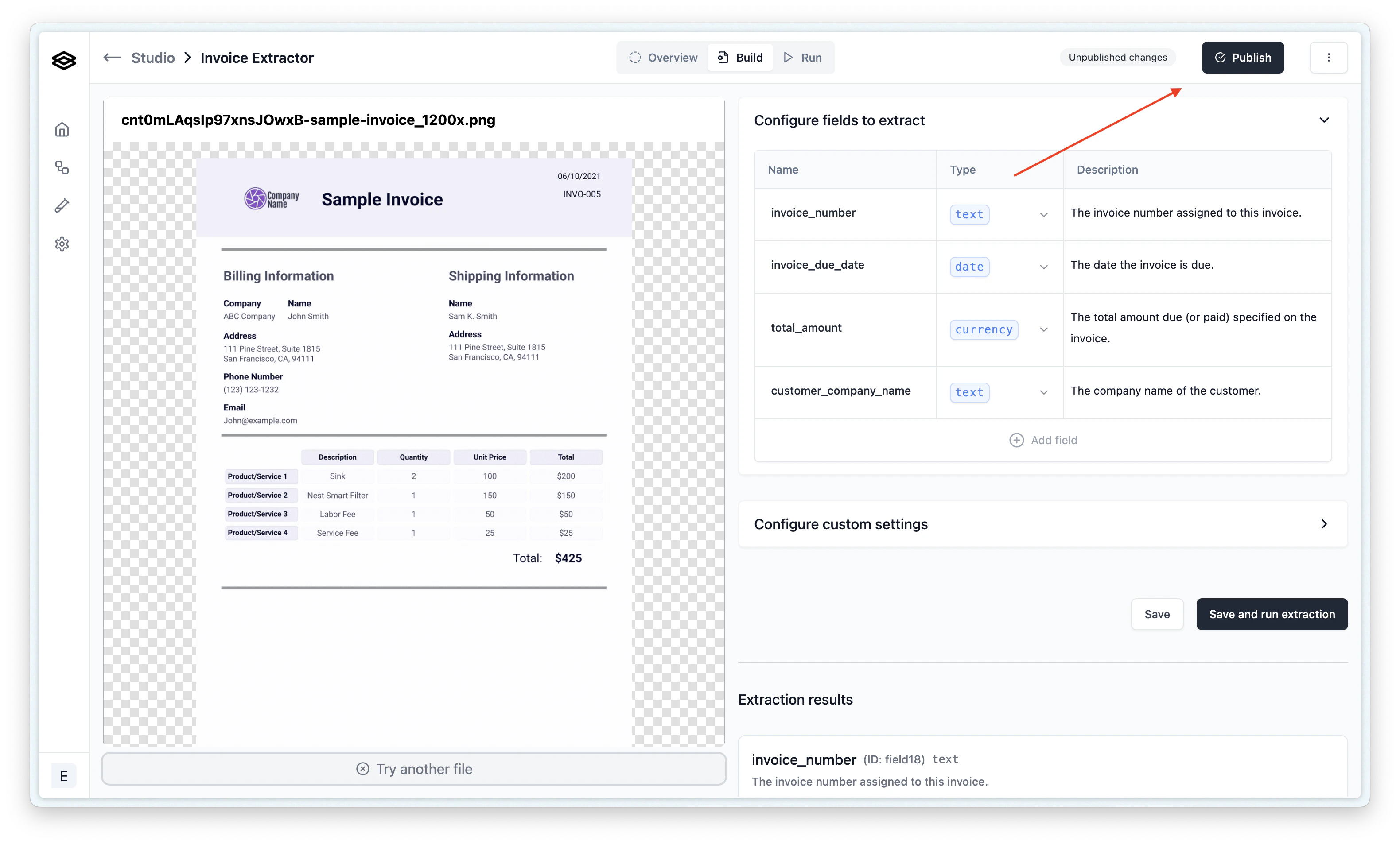
When you are making only a change in description (e.g. a field or classification prompt change), it is recommended that you publish a minor version. A minor version change implies it will not affect the existing workflows that are using the processor and how data is sent to downstream consumers. To publish a minor version, click on the “Publish” button and select the “Minor” radio option: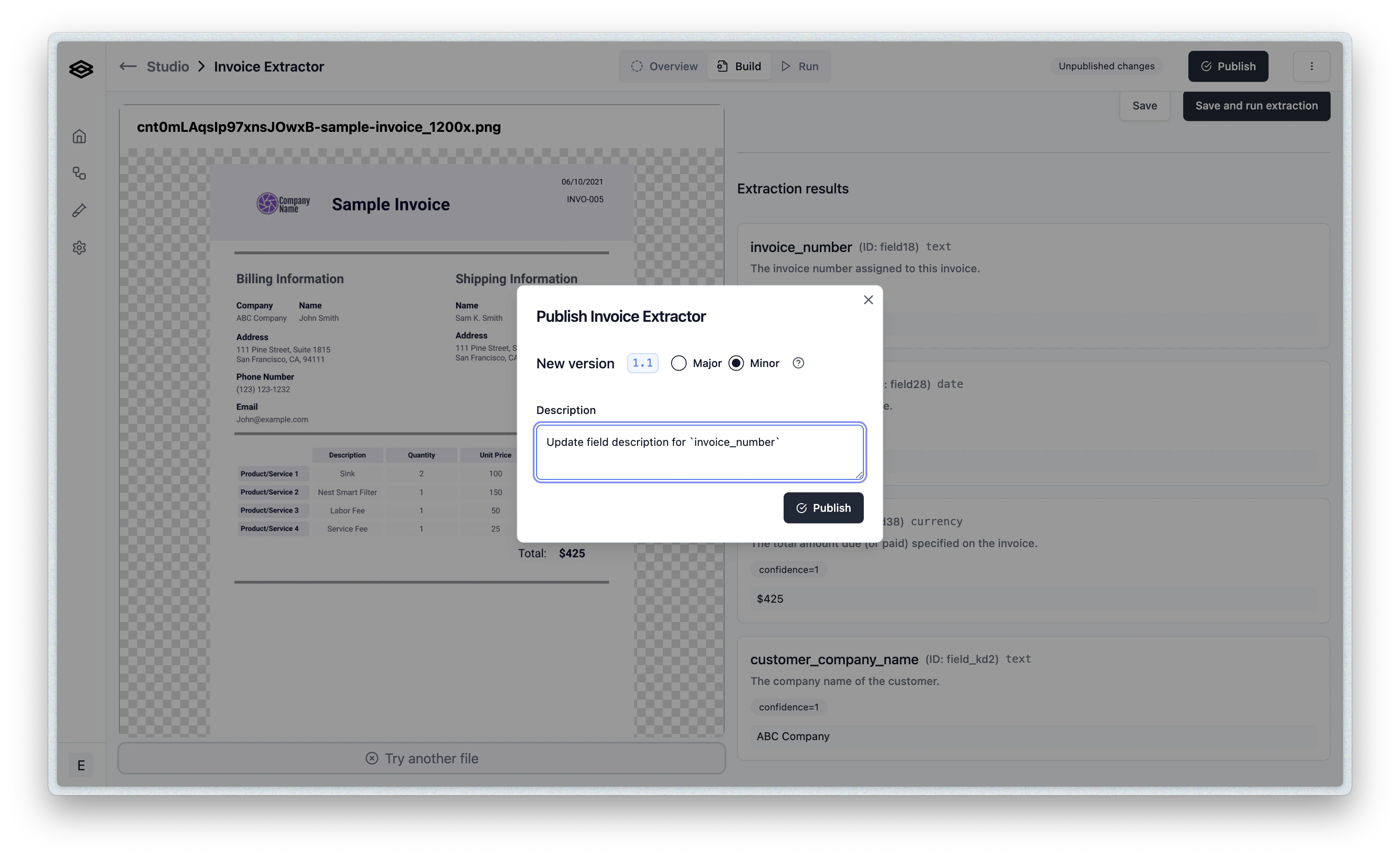
Major version
When you are making a change in the configuration of the processor that would affect the shape of data sent to downstream consumers or how the processor would interact with a workflow, it is recommended that you publish a major version. To publish a major version, click on the “Publish” button and select the “Major” radio option: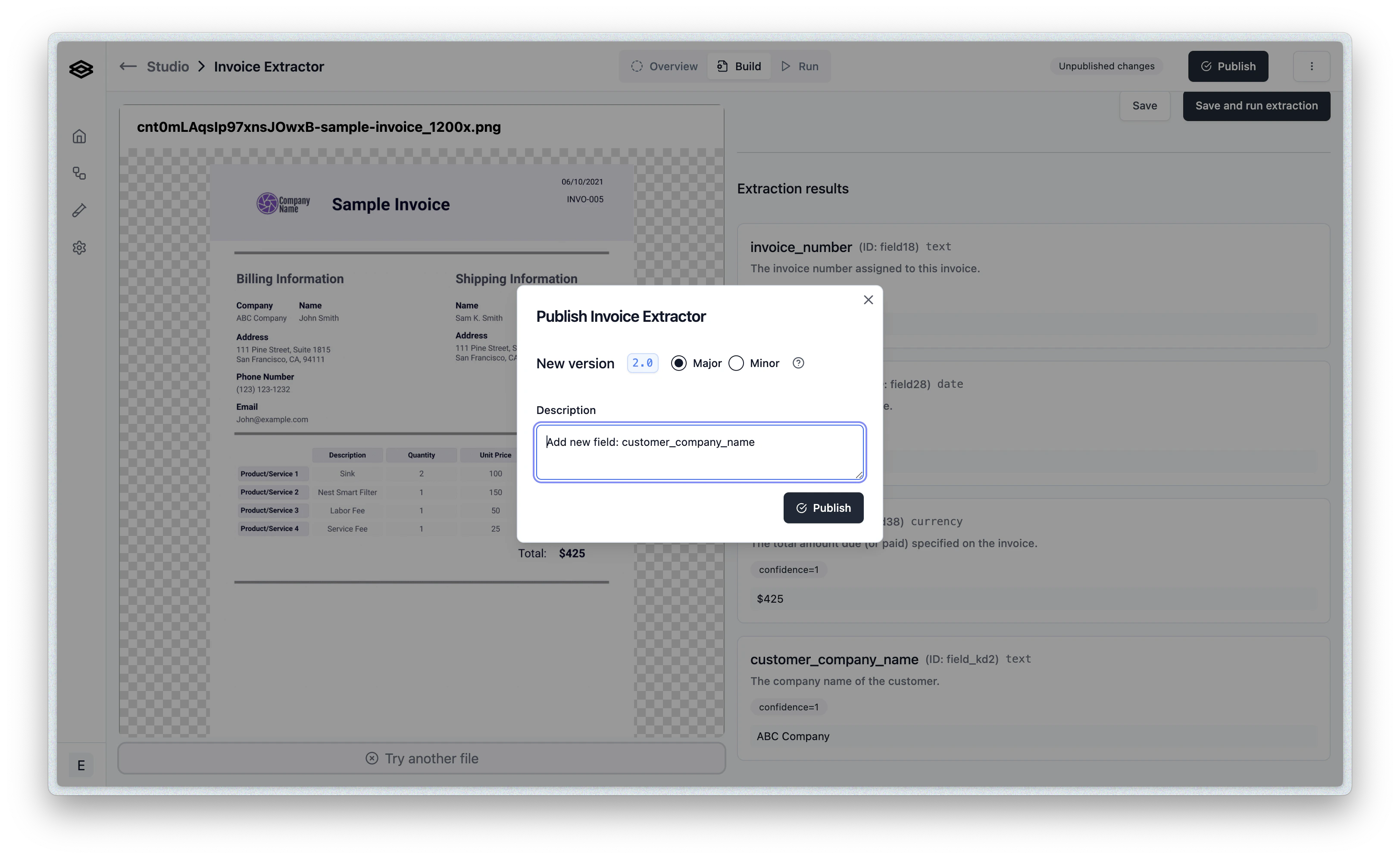
Viewing published versions
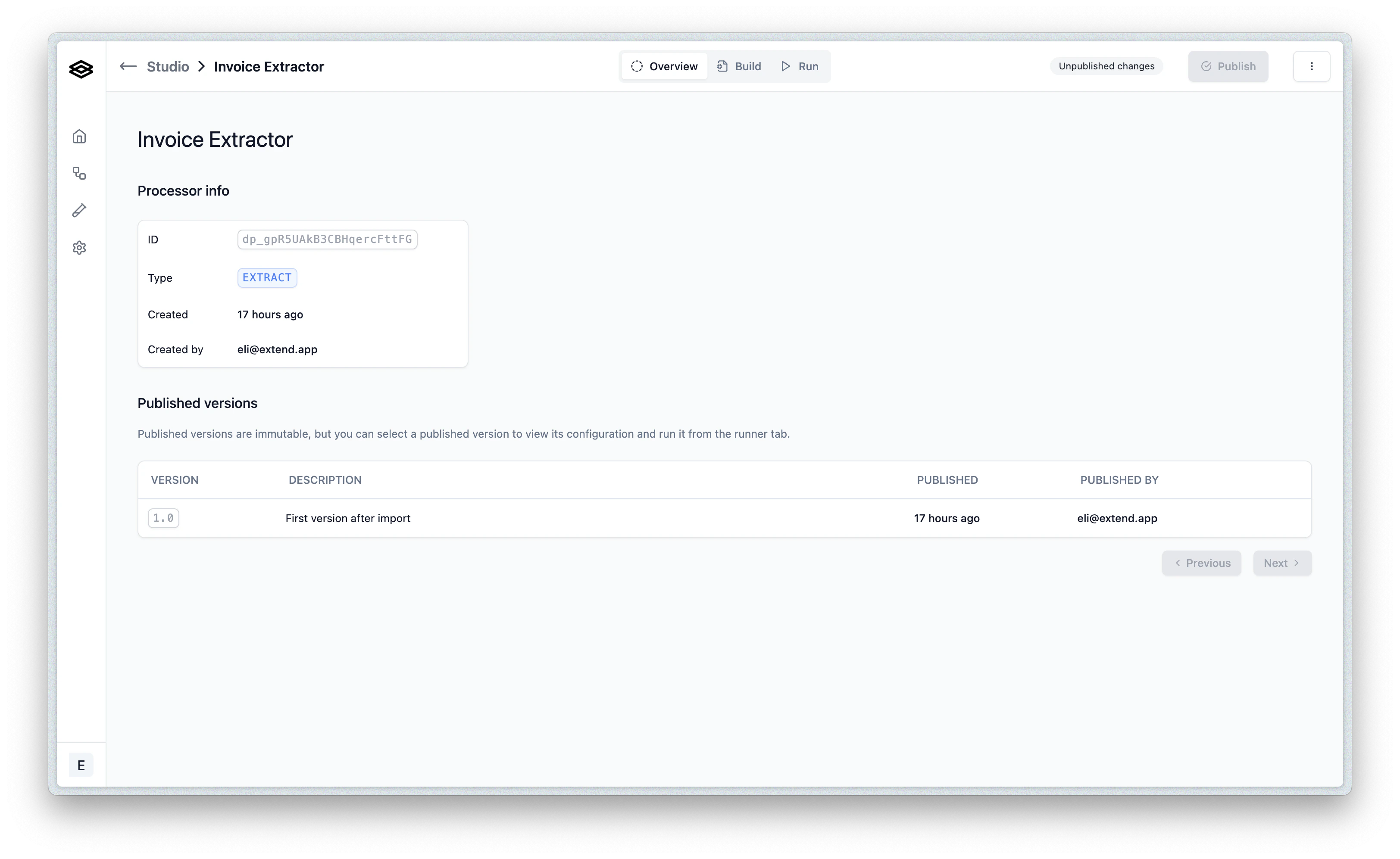
Once a version is published, it cannot be updated and will only be viewable in a read-only mode. You can select a published version to view its details and see the configuration that was used to create it from the processor Overview tab: