

Extract output fields and are supported for the following file/document types:
PDFIMG(jpeg, png, etc)
Citations (JSON Schema Config)
This section is relevant for processors using the JSON Schema config type.
If you are using the legacy Fields Array config type, please see the Bounding
Boxes (Legacy Fields Array
Config) section. If you aren’t
sure which config type you are using, please see the Migrating to JSON
Schema documentation.
- Availability: Citations are returned in the
metadataobject for each field only if theincludeBoundingBoxCitationsoption is enabled in the processor config. You can enable this in the Studio via the Build tab under “Advanced options”. - Field Type Coverage: When enabled, Citations can potentially be returned for all field types.
- Schema: Citations use a
polygonstructure representing points on the page. For detailed schema information and usage examples, see the API Reference.
Bounding Boxes (Legacy Fields Array Config)
This section is relevant for processors using the legacy Fields Array
config type. If you are using the recommended JSON Schema config type, please
see the Citations (JSON Schema Config)
section.
Default Bounding Boxes
The default bounding box feature uses heuristic-based matches and supports the following field types:datefieldsstringfieldssignaturefieldsarrayfields (on nested string fields)objectfields (on nested string fields)
Advanced Bounding Boxes
If you have selected “Advanced bounding box” in the extraction settings in the Extend Studio, bounding boxes can be provided for additional field types with potentially higher coverage:enumfieldsnumberfieldsbooleanfieldsnullfields - If a field is declaratively null (e.g., an empty form input), a bounding box reference may be returned. If there is no declarative indication of null, bounding boxes will not be returned.
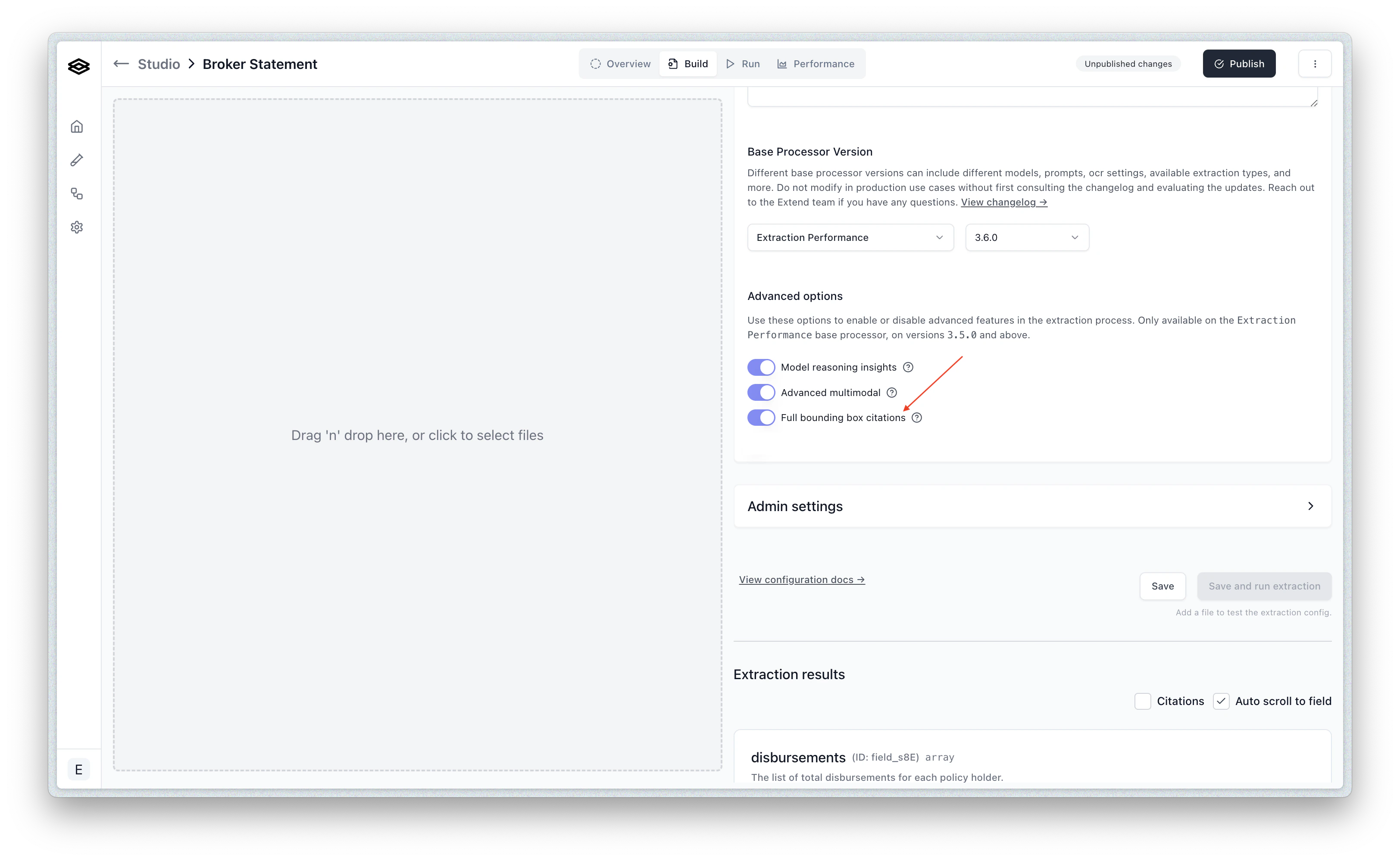
- Schema: Bounding Boxes use a
left,top,right,bottomstructure. For detailed schema information and usage examples, see the API Reference.