

Setting up a webhook
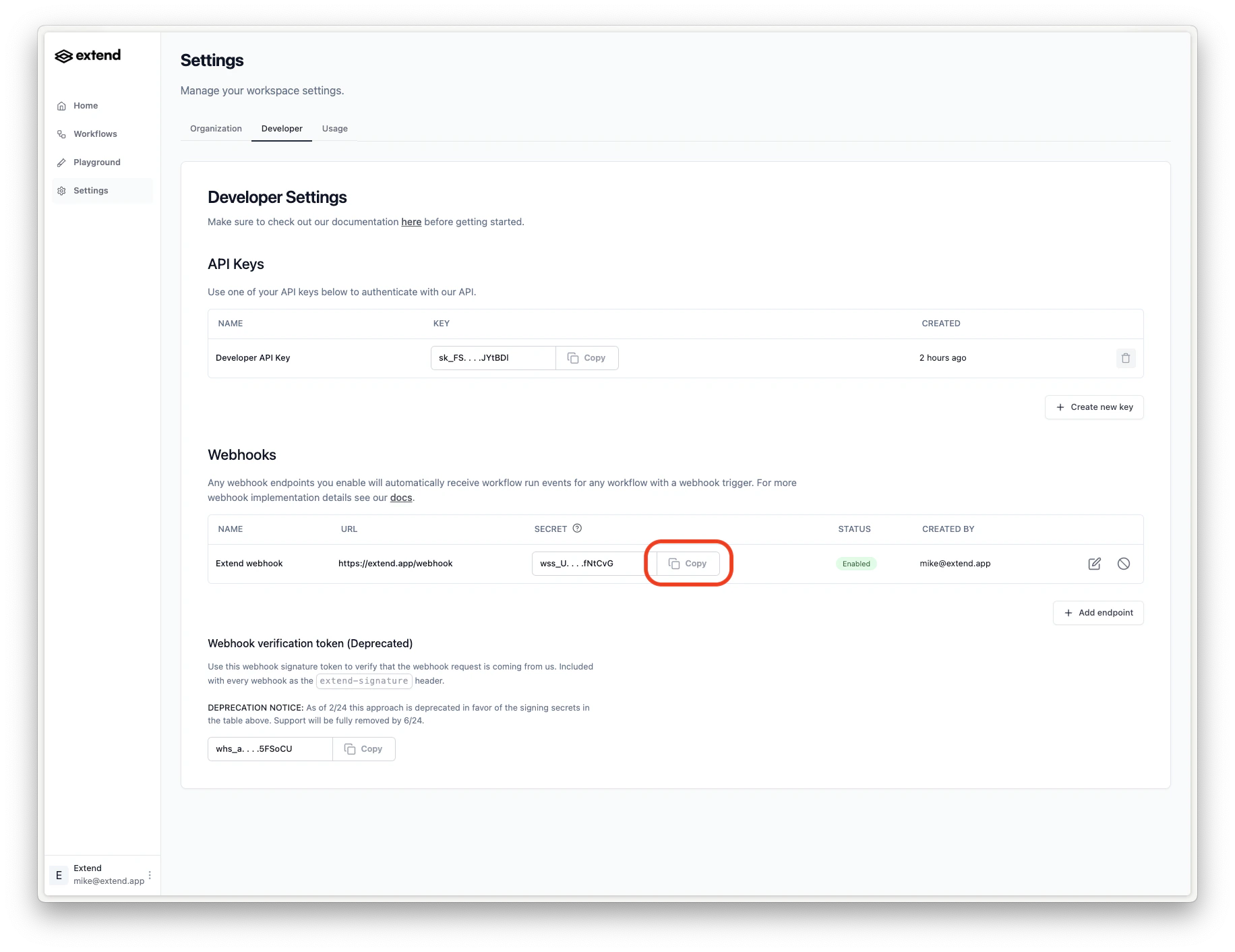
To set up a webhook, you can create one in the Extend dashboard settings under the “Developer” tab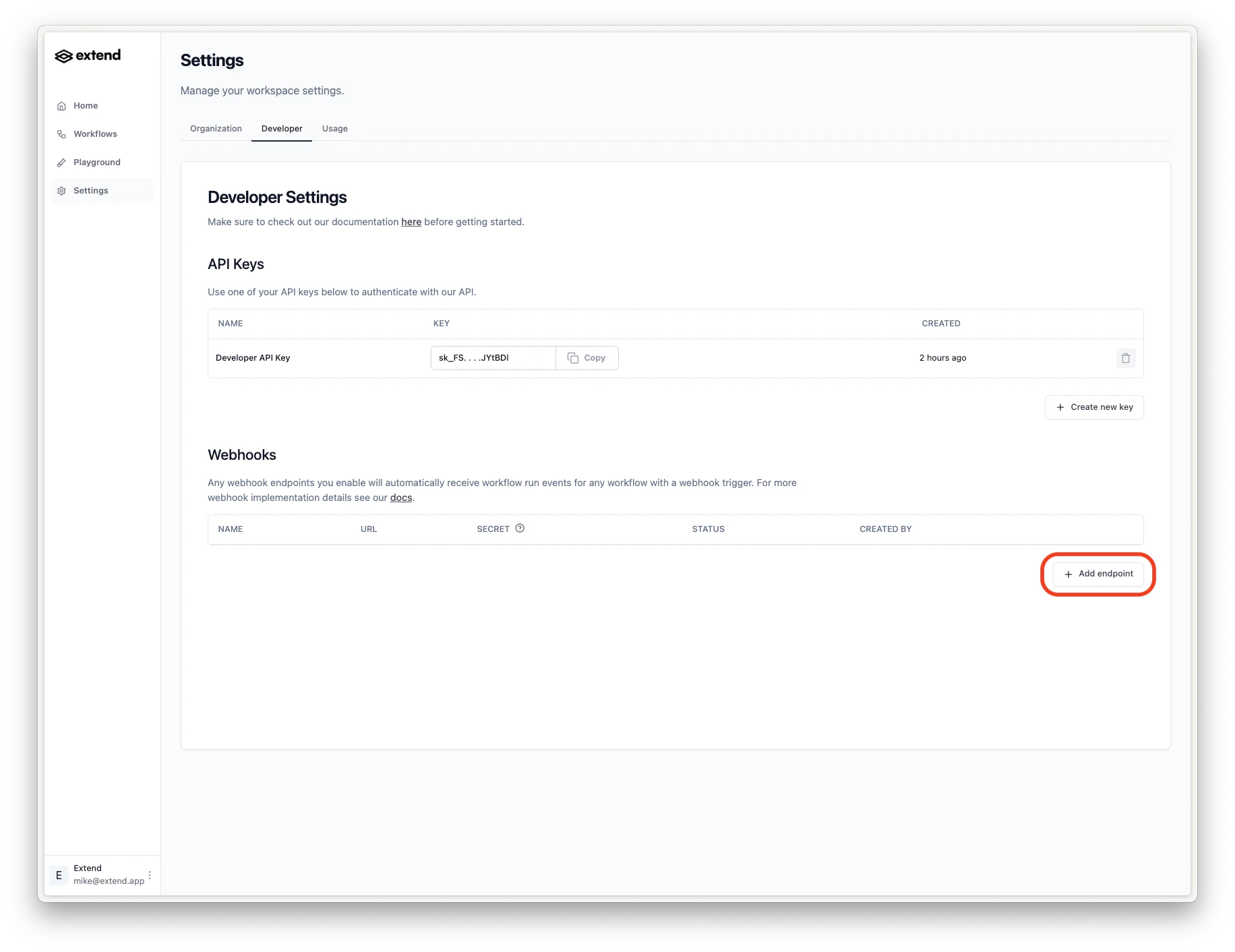
Global webhooks
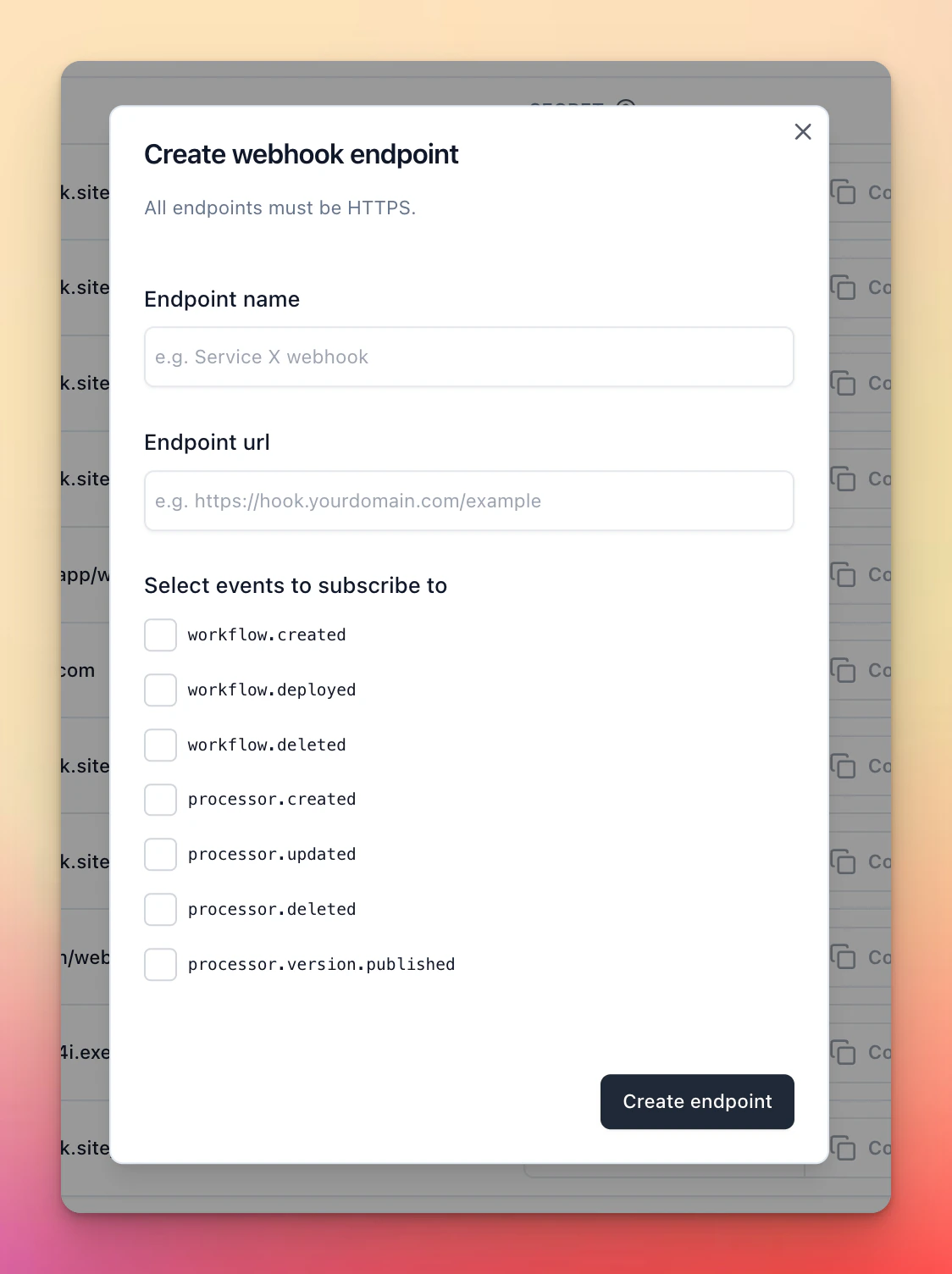
To receive events for webhooks you need to subscribe to events. From the main “Developer” tab when creating/updating a webhook endpoint you can subscribe to theGLOBAL event types.
These events are not associated with a specific workflow or processor and are global to your workspace.
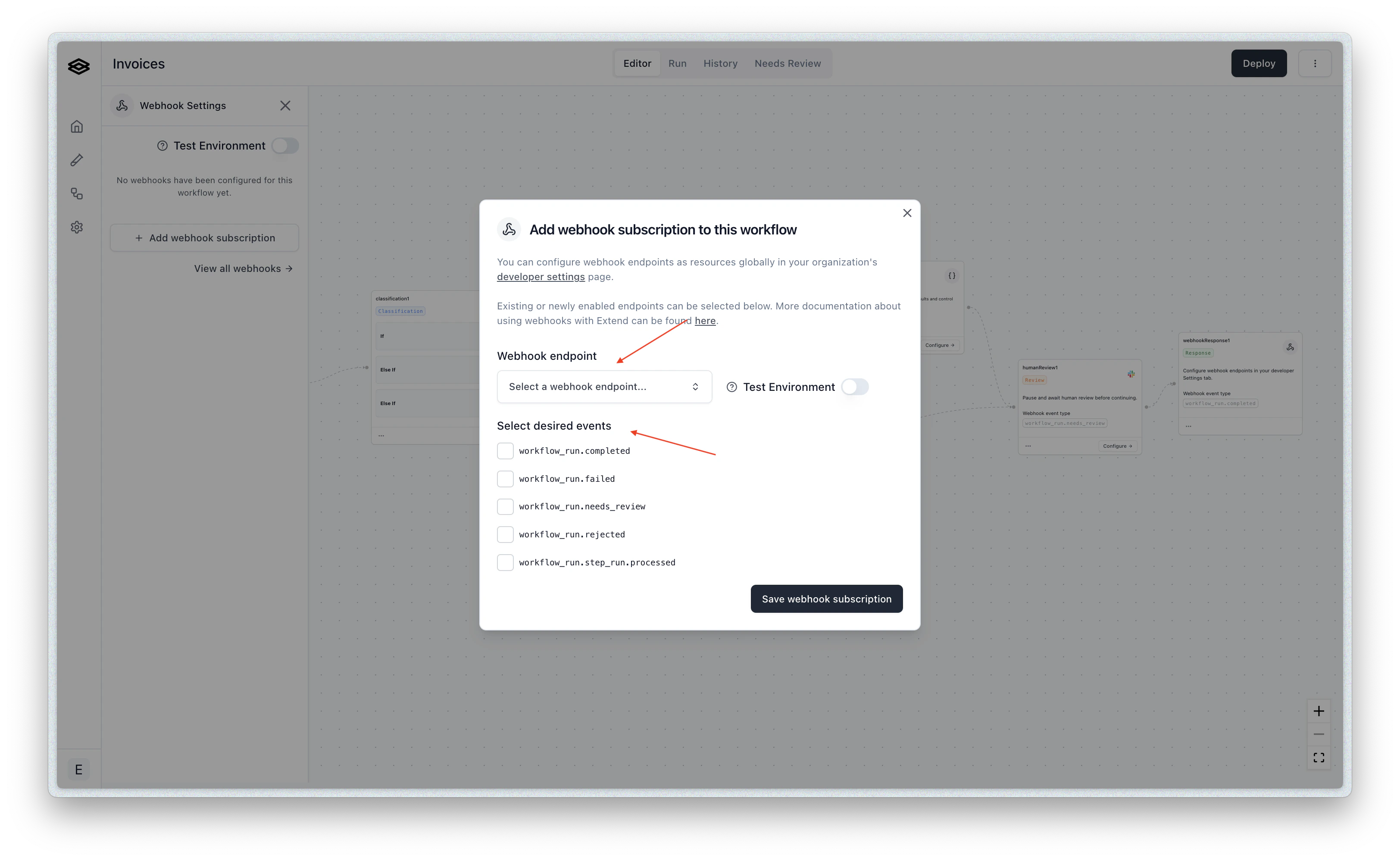
Workflow specific subscriptions
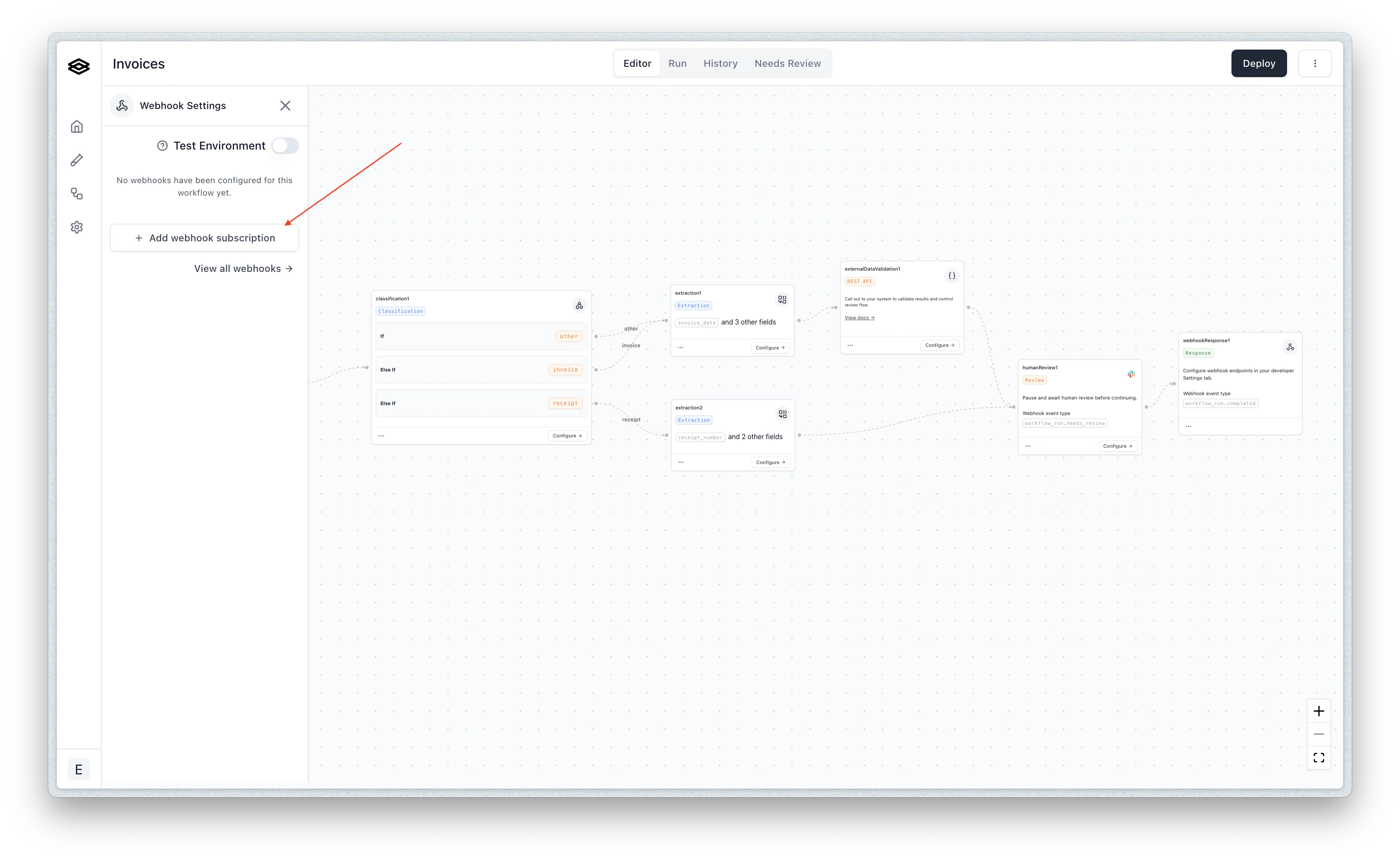
After you have created one or more webhook endpoints from the “Developer” tab, you can subscribe to events for specific workflows by navigating to the desired workflow(s) and opening the “Webhook Subscriptions” menu.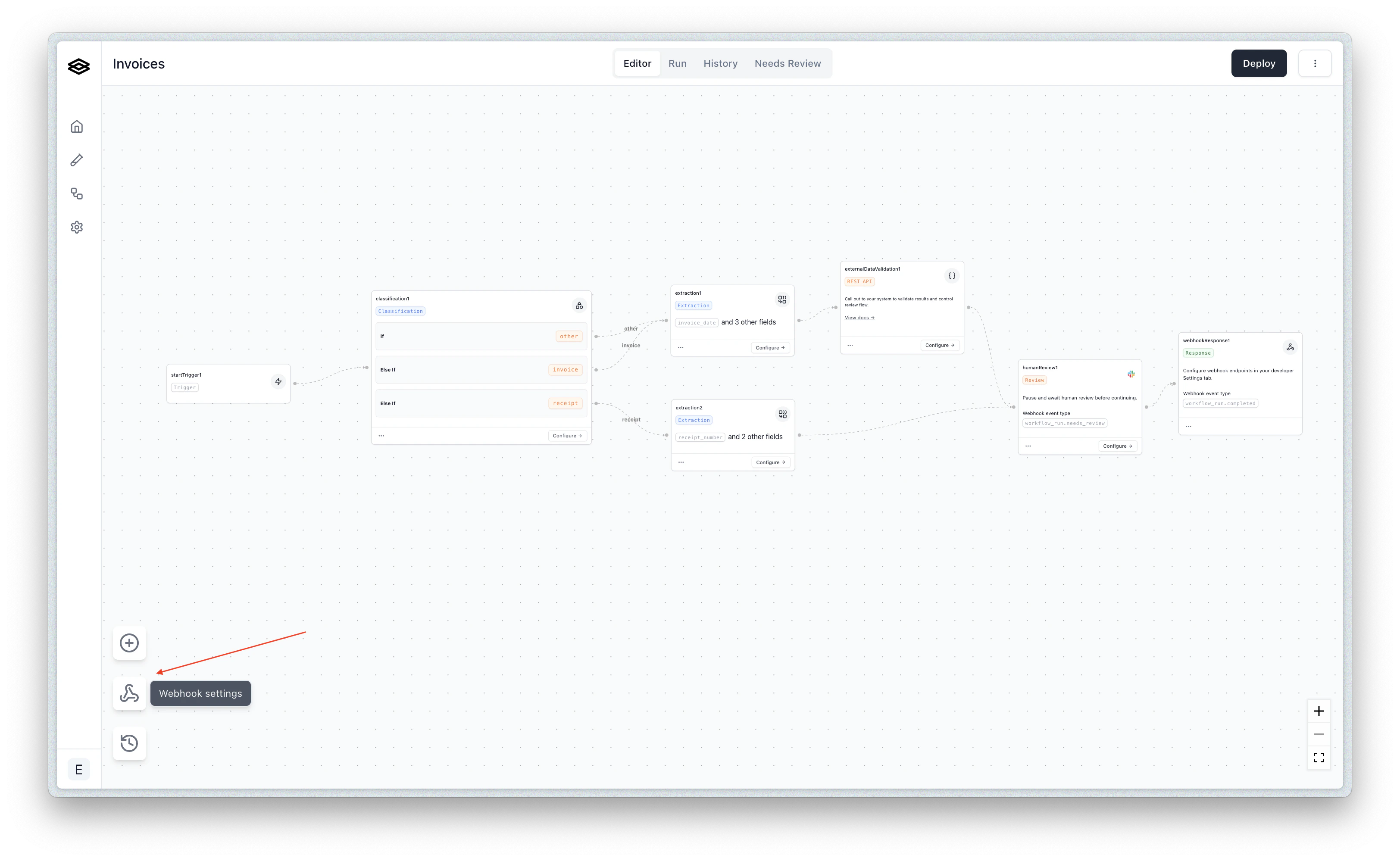
Processor run specific subscriptions
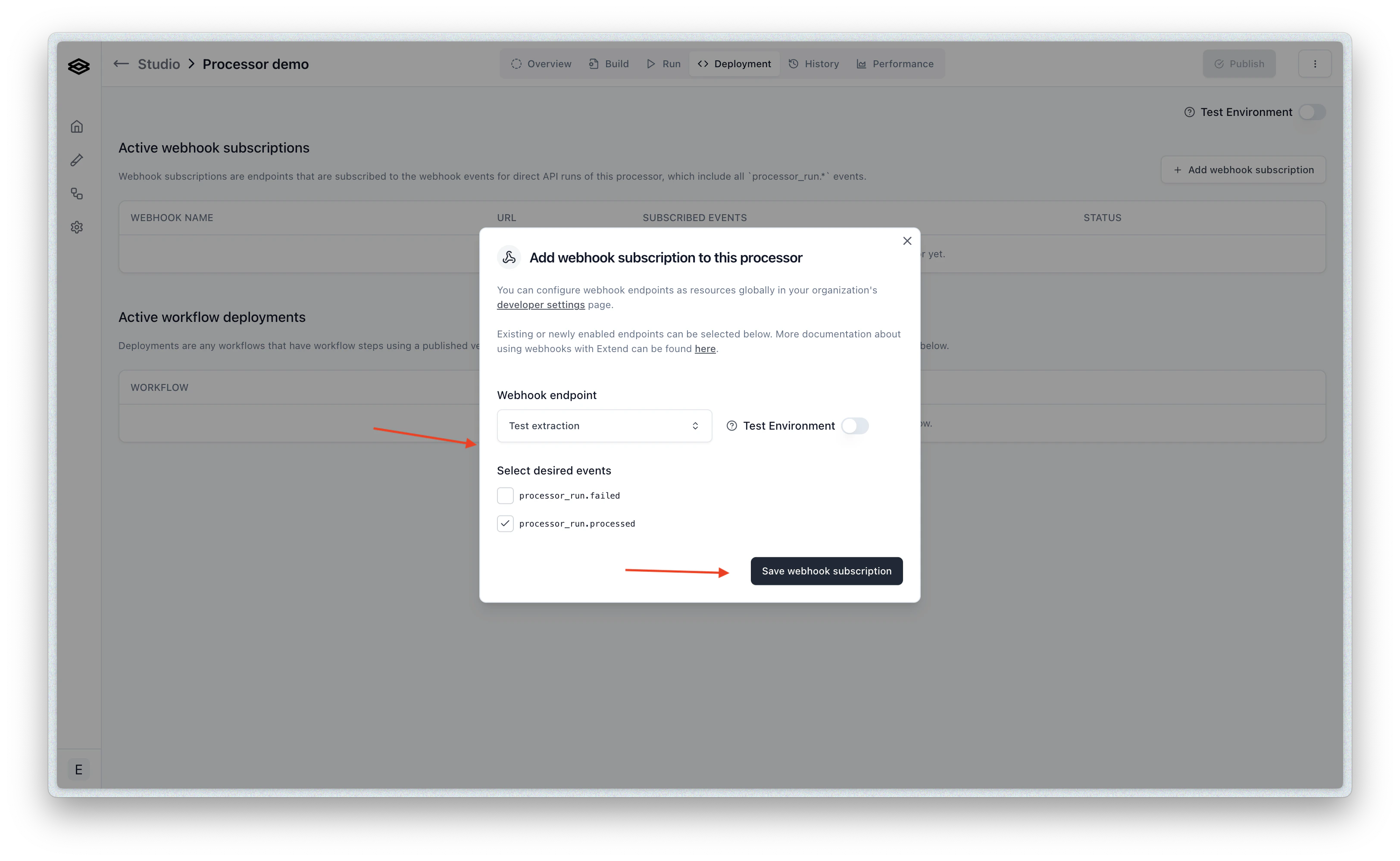
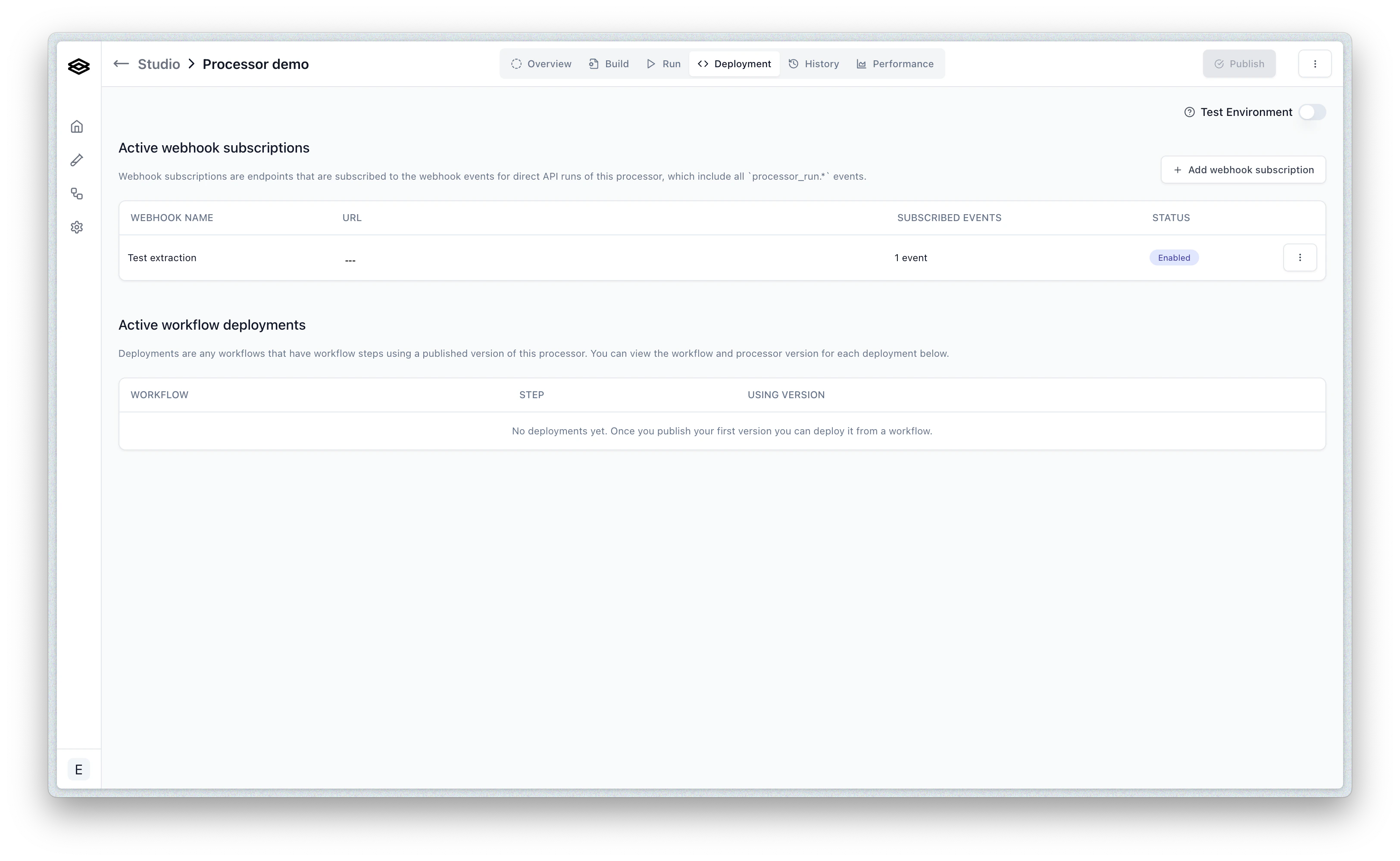
You can also subscribe to events for specific processor runs. This is necessary if you are running processors directly and not via a workflow. To start, navigate to the Deployment tab of the given processor in Studio and click the “Create Webhook Subscription” button.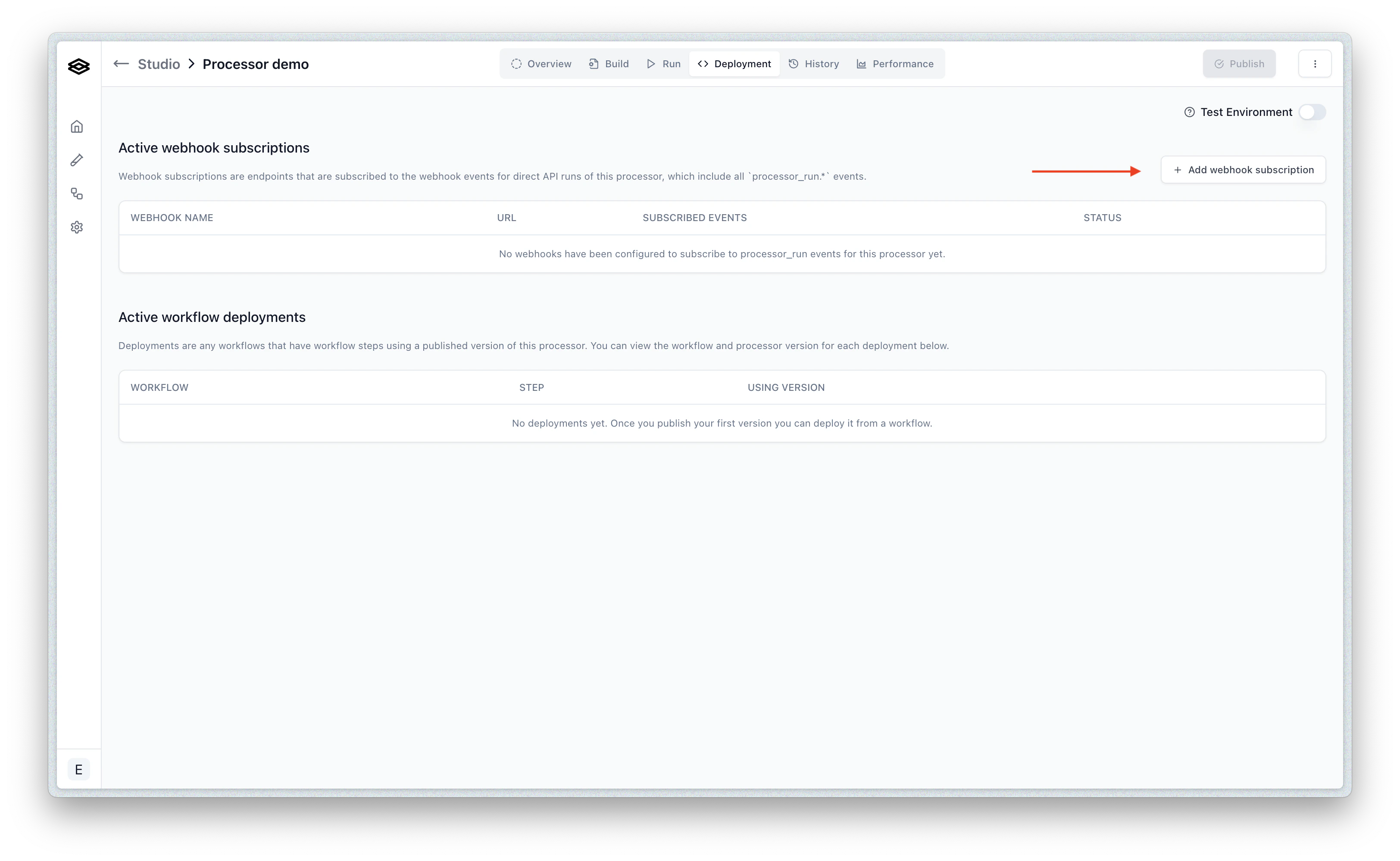
Verifying webhook requests from Extend
Extend will sign each webhook request using a secret unique to the webhook. You can use this signature along with the timestamp to verify that the request is coming from Extend as well as protect against replay attacks.Steps to verify a webhook request from Extend
At a high level, the steps to verify a webhook request from Extend are- Retrieve the timestamp of the request from
x-extend-request-timestamp, the body of the request, and the signing secret associated with the webhook. - Concatenate the timestamp and request body using the following format:
v0:${timestamp}:${requestBody} - Compute a HMAC 256 digest on the resulting string using the signing secret as the key. The secret can be found in the webhooks table under the “Developer” tab
x-extend-request-signature. If they are equal, then the request is verified to be from Extend.
Here is pseudocode in Javascript to perform the verification: